




A ship tracker is an online tool that displays reported vessel positions and related information, usually using Automatic Identification System (AIS) data. It helps you locate a vessel, understand its reported movements and follow its voyage. AIS provides information including vessel identity, position, course and speed.
Whether you work in shipping or enjoy watching vessels, effective tracking starts with finding the right ship and understanding what its latest report actually tells you. Here is how to get started.
How to Track Ships Online with ShipFinder
- Search by Vessel Name, IMO Number or MMSI
Open the ShipFinder ship tracker and enter the vessel's name, International Maritime Organization (IMO) number or Maritime Mobile Service Identity (MMSI).
Select the matching vessel from the results. If several ships have similar names, compare their MMSI or IMO number before continuing. This simple check helps prevent you from following the wrong vessel when reviewing a voyage or preparing an operational update.
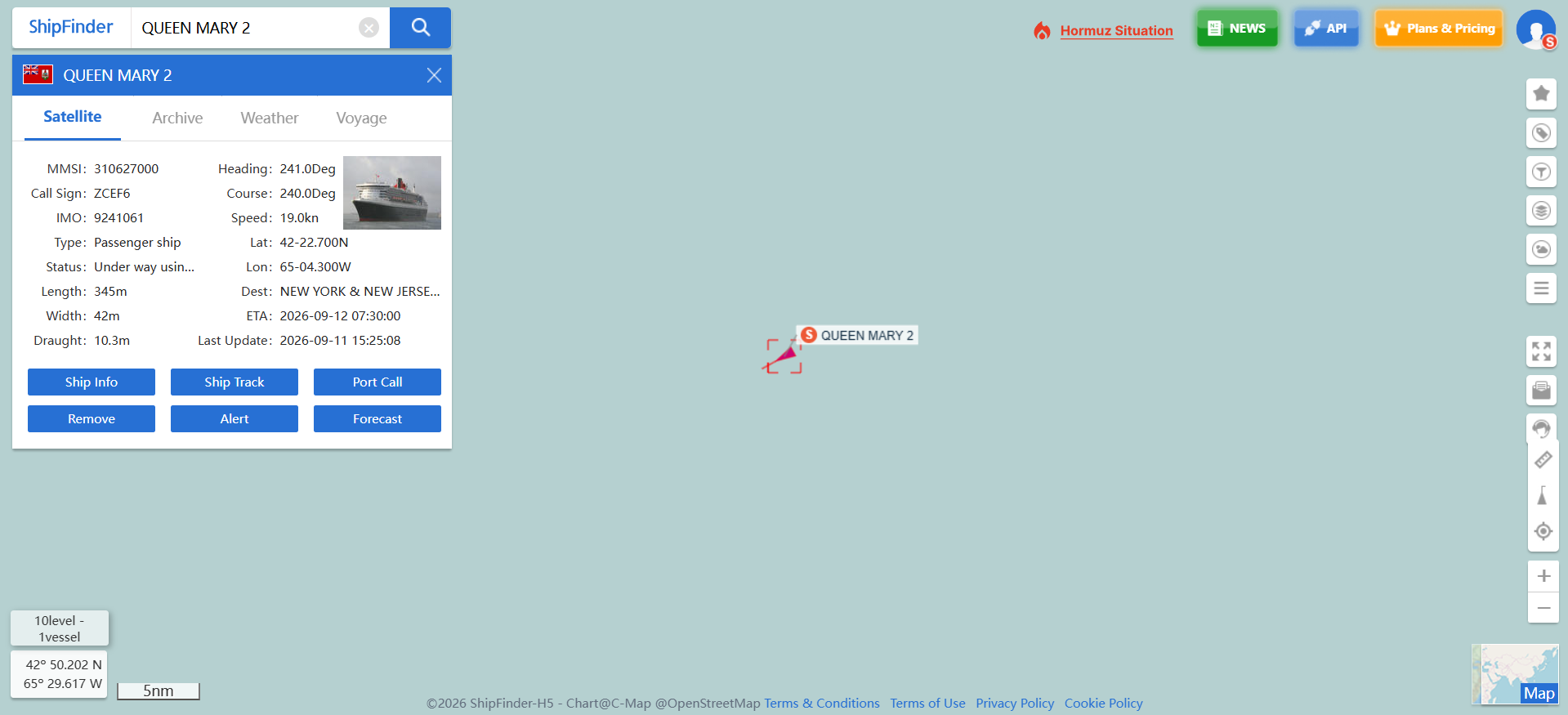 2. Read the Vessel's Latest Report
ShipFinder displays vessel information including position, speed, course, heading, destination and estimated time of arrival (ETA), where available.
Start with the position and report time, then review speed and course to understand the reported movement. Read destination and ETA alongside those observations.
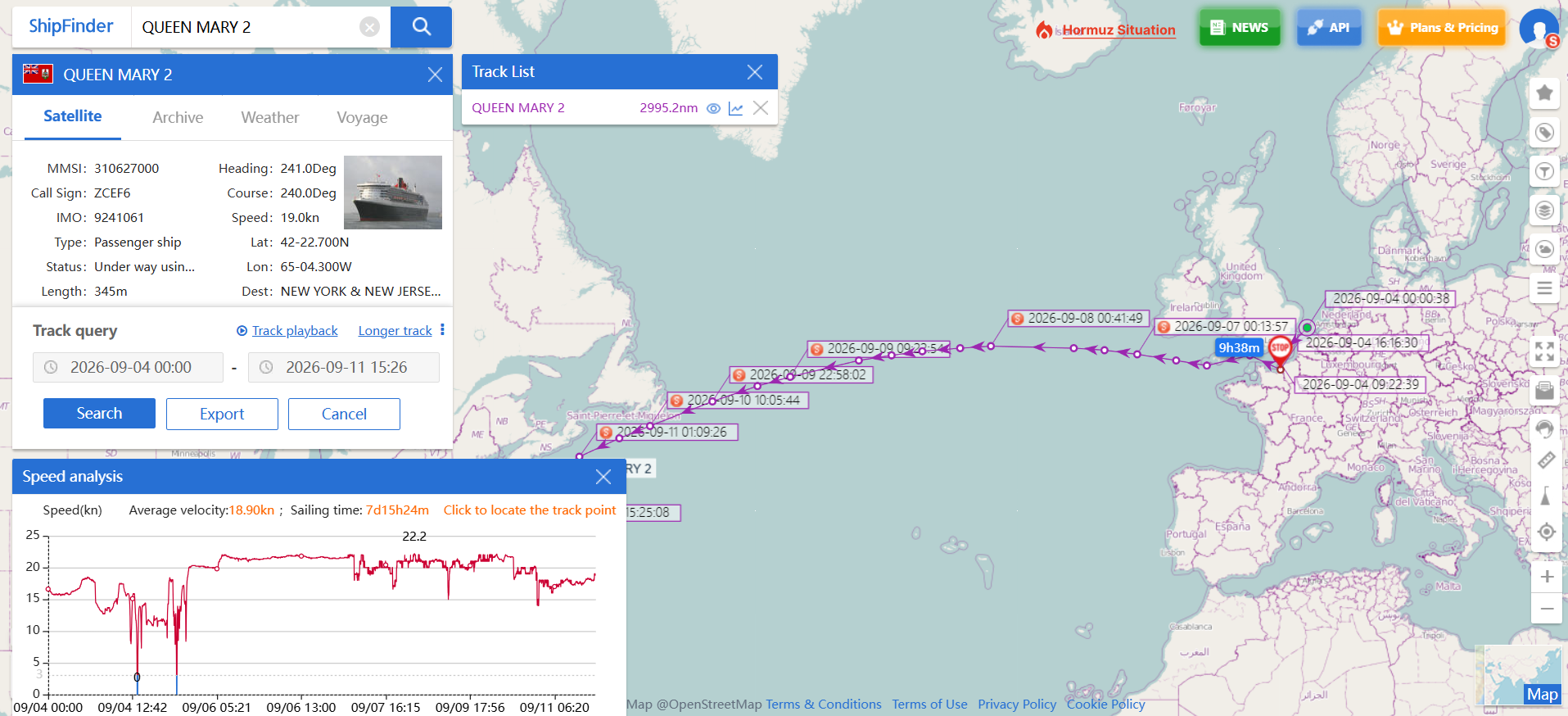
3. Review History and Set Up Monitoring
Historical tracks help you review earlier movements, fleet management organizes the vessels you follow, and event alerts support monitoring of activities such as arrivals and departures.
How Does AIS Ship Tracking Work?
From Vessel Transmissions to an Online Map
AIS-equipped vessels transmit identification and navigational information. Tracking services receive those reports and make them available through maps and vessel records.
The distinction matters: the position shown by an online tracker comes from received information. It should be interpreted as a reported position, with attention to its timestamp and availability, rather than as an independent observation made when you open the page.
Terrestrial AIS vs. Satellite AIS
Terrestrial AIS uses shore-based receivers, while satellite AIS receives vessel transmissions from space, extending reception offshore. ShipFinder combines both sources. This supports tracking across coastal and open-ocean areas.
Which ShipFinder Plan Fits Your Tracking Needs?
Choose a vessel tracker around your workflow: how many vessels you follow, how much history you need and whether monitoring is occasional or part of your daily work.
ShipFinder's current plan allowances provide a useful starting point:
| Plan | Satellite AIS | Historical tracks | Fleet management |
|---|---|---|---|
| Basic — Free | 1 vessel | 3 days | 10 vessels |
| Standard | 5 vessels | 14 days | 20 vessels |
| Professional | Unlimited vessels | 6 months | 100 vessels |
Free: For Personal Tracking and Ship Enthusiasts
The free Basic plan offers a convenient starting point for personal users and ship enthusiasts. You can explore vessel tracking, review recent movements and use fleet management to organize the ships you follow, with satellite AIS tracking available for one designated vessel.
Standard: For Individuals and Small-Team Workflows
Standard offers greater flexibility for individuals and small teams that regularly track multiple vessels. With satellite AIS tracking for more ships, access to a longer period of historical tracks and the ability to manage larger fleets, it supports day-to-day monitoring and helps keep vessel information organized.
Professional: For Professional Monitoring Teams
Professional combines unlimited satellite AIS tracking, up to six months of historical tracks and fleet management for a broader range of vessels. It is well suited to professional teams looking to coordinate routine monitoring and review past voyages.
For projects that require a longer historical perspective, we offer access to 10+ years of historical vessel tracks through a tailored solution. Please contact us to discuss your needs.
For a detailed comparison of features and subscription options, please visit the ShipFinder Plans & Pricing
Start Tracking Your Next Vessel
Track ships online with ShipFinder, find the vessel you want to follow and check its latest available report. Then choose the history, fleet organization and monitoring features that match your needs.
FAQ
Can I use a ship tracker for free?
Yes. ShipFinder offers a free Basic plan for free. It is a starting point for personal tracking, providing satellite tracking for 1 vessel, 3 days of historical data, ETA, vessel monitoring and other tracking features.
Can I find a ship by name, IMO number or MMSI?
Yes. ShipFinder supports searches by vessel name, IMO number or MMSI. Compare the MMSI or IMO number in the search results with the vessel you intend to follow, especially when several ships have similar names.
Why is a ship's position not updating?
An unchanged position may reflect a gap in AIS reception or the absence of a recent transmission. Check the report time and vessel MMSI or IMO number before assuming that the ship has stopped moving or reached its destination.
Can a ship tracker show a vessel's previous route?
Yes. ShipFinder provides historical vessel tracks, with the available period determined by your subscription. These records help you review reported movements.